
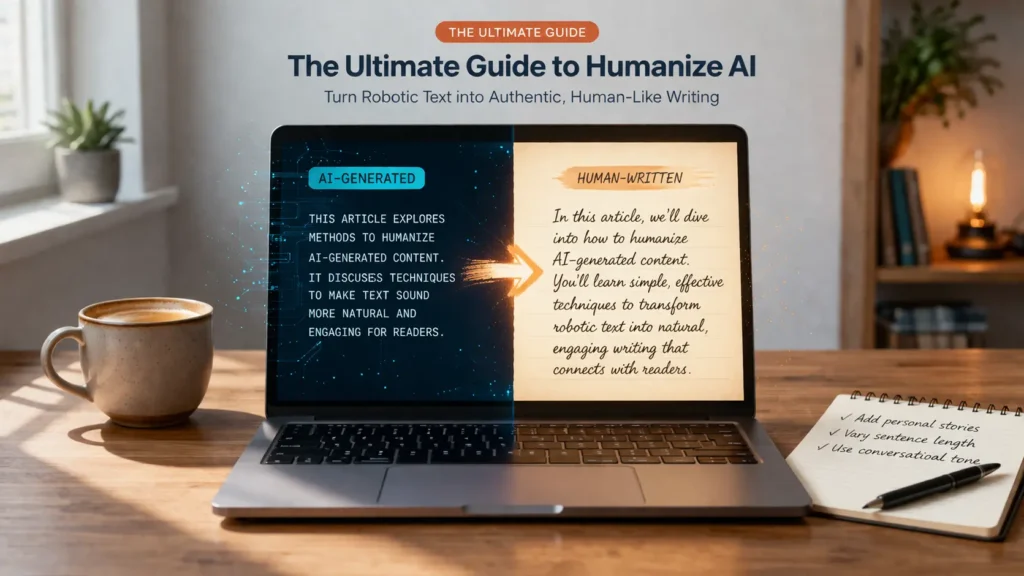
Artificial intelligence has transformed how we create content. Tools like ChatGPT, Claude, Gemini, and Jasper can produce entire blog posts, academic essays, and marketing copy in seconds. But there is a growing problem: AI-generated text often sounds robotic, overly formal, and unmistakably machine-made.
In 2026, that problem has real consequences. AI detectors like GPTZero, Originality.ai, and Turnitin are now widely used by teachers, editors, and platform algorithms to flag content that was written by an artificial intelligence. Whether you are a student submitting an essay, a marketer publishing a blog post, or a professional sending a client proposal, having your work flagged as AI-generated can damage your credibility, your grades, or your search rankings.
This is exactly where an AI humanizer comes in. By transforming robotic, patterned AI output into natural, fluid, and authentic-sounding writing, AI humanizer tools help users bridge the gap between machine efficiency and human expression. In this comprehensive guide, we will explore what AI humanization means, who needs it, how it works, and how to choose the right tool for your needs.
What Does It Mean to “Humanize” AI Text?
When an AI model generates text, it follows statistical patterns learned from billions of documents. The result is often grammatically correct but lacks the spontaneity, emotional nuance, and tonal variety that characterizes genuine human writing. Humanizing AI text means transforming that output to sound as though a real person wrote it — complete with natural sentence rhythm, varied vocabulary, and contextual tone.
The Difference Between Humanizing and Paraphrasing
Many people confuse AI humanization with simple paraphrasing. While both processes involve rewriting text, they serve fundamentally different purposes:
Paraphrasing involves restating the same information using different words and sentence structures. A paraphrasing tool changes surface-level phrasing but does not address deeper stylistic or tonal issues. The output may still trigger AI detectors because the underlying patterns — predictable syntax, formal register, excessive use of em-dashes, and rigid paragraph structure — remain intact.
Humanizing goes deeper. It uses advanced language models to identify and eliminate specific ‘AI tells’: overuse of em-dashes, suspiciously uniform sentence lengths, unnatural phrase formality (words like ‘delve,’ ‘utilize,’ or ‘furthermore’ appearing too frequently), and rigid structural patterns. It also incorporates emotional intelligence, personality, and context-appropriate tone into the output.
The end result of true humanization is text that not only passes AI detection but genuinely reads as though a knowledgeable human being wrote it with care and intention.
Who Needs an AI Humanizer? (Target Audience Deep Dive)
AI humanizer tools are not one-size-fits-all. Different users have different goals, different platforms, and different risks when it comes to AI-detected content. Here is a breakdown of the main audiences who benefit most.
For Students: Bypass AI Detection Without Losing Academic Integrity
Students represent one of the largest user groups for AI humanizer tools. Many use AI to assist with drafting essays, research papers, or assignments, then rely on a humanizer to refine the output before submission to platforms like Turnitin or Gradescope.
It is important to acknowledge the ethical dimension here. Using AI to entirely write an assignment and passing it off as your own work may violate your institution’s academic integrity policy. However, using AI as a drafting aid — and then heavily editing and humanizing the output to reflect your own voice and thinking — is increasingly accepted in many academic settings.
For students, the best humanizer tools preserve the original argument and citation structure while transforming robotic prose into natural academic writing. This means better readability scores, lower AI detection probability, and cleaner submission results.
For Marketers & SEO Specialists: Creating Content That Ranks
Google’s search algorithm has grown increasingly sophisticated at identifying thin, AI-generated content. Pages that rely on unedited AI output often suffer from lower dwell time, higher bounce rates, and reduced SERP rankings — particularly since Google’s Helpful Content guidelines began penalizing machine-like writing.
For marketers and SEO specialists, humanizing AI content is not just about avoiding detection — it is about creating genuinely engaging copy that drives conversions. Humanized blog posts, product descriptions, and landing page copy tend to hold reader attention longer, generate more shares, and earn more backlinks. All of these factors compound into stronger organic search performance over time.
For Professionals & Non-Native Writers: Perfecting Business Communication
Professionals who use AI to draft emails, proposals, Slack messages, or client-facing reports often find that the output sounds overly formal or impersonal. A well-calibrated humanizer tool can transform stiff corporate language into clear, warm, and professional communication that builds trust with clients and colleagues.
Non-native English speakers benefit especially from AI humanizers. Many use AI to help overcome language barriers, but the resulting text can sound unnatural or overly translated. A humanizer that understands tonal nuance can produce output that sounds genuinely fluent and contextually appropriate, rather than merely grammatically correct.
For Creators & Social Media Managers: Building Authentic Connections
Audiences on social media platforms are highly attuned to authenticity. Content that sounds corporate, generic, or machine-written receives lower engagement, fewer shares, and diminished brand loyalty. For content creators, YouTubers, and social media managers who use AI to draft captions, scripts, and updates, humanizing that output is essential to maintaining a genuine connection with their audience.
A good humanizer tool can adjust the tone from formal to conversational, inject personality and humor, and ensure that the final output aligns with a creator’s established brand voice.
Top 5 Use Cases: Where Humanizing AI Saves the Day
1. Blog Posts & Articles
Long-form blog content is one of the most common use cases for AI writing tools. The challenge is that AI-generated blog posts often follow a predictable formula: a generic introduction, three to five bullet-pointed sections, and a formulaic conclusion. Readers — and search engines — recognize this pattern.
Humanizing blog content means breaking that formula. A good humanizer introduces sentence variety, weaves in storytelling elements, and adjusts the reading level to match the target audience. The result is content that holds readers’ attention, reduces bounce rate, and positions the author as a credible, engaging voice in their niche.
2. Academic Writing & Assignments
Academic writing demands a balance between formal tone and intellectual clarity. AI-generated essays often fail at this balance — they are grammatically correct but stylistically flat. When humanized properly, AI-assisted academic content reads with the kind of nuanced argumentation and varied sentence rhythm that professors and reviewers expect.
Crucially, the best humanizer tools for academic use preserve in-text citations, maintain argument structure, and do not introduce factual inaccuracies in the process of rewriting. This is a critical distinction from generic paraphrasing tools.
3. Email Marketing Campaigns
Email marketing success depends on two things: deliverability and engagement. Emails that trigger spam filters never reach the inbox. Emails that feel generic or impersonal never get opened. AI-generated email copy frequently suffers from both problems — triggering spam filters with overly promotional language patterns and failing to connect emotionally with recipients.
Humanized email copy reads as though a person who genuinely understands the reader’s pain points wrote it. This improves open rates, click-through rates, and ultimately, conversions.
4. Social Media Content
Social media thrives on authenticity, brevity, and emotion. AI-generated captions and posts often read as too polished, too formal, or too generic to resonate with a specific audience. Humanizing social media content means adapting tone, injecting personality, and ensuring that the output aligns with the platform’s culture — whether that is the professional register of LinkedIn or the casual, emoji-rich language of Instagram.
5. Website Copy & Product Descriptions
Website copy must do two things simultaneously: rank in search results and convert visitors into customers. AI-generated web copy often optimizes for one at the expense of the other, producing keyword-stuffed text that reads mechanically or conversion-focused copy that sounds unnatural.
Humanized website copy strikes the right balance: it integrates target keywords naturally, speaks directly to the reader’s needs, and guides them toward a decision through compelling, trustworthy language.
How to Humanize AI Text: A Step-by-Step Guide
Using an AI humanizer tool is straightforward. Here is a simple, four-step process that applies to virtually every platform available today:
- Paste your AI-generated text into the input field. This could be content created with ChatGPT, Claude, Gemini, Jasper, DeepSeek, or any other large language model. Most tools accept text of up to 1,000 words in their free version, with longer inputs available on paid plans.
- Select your desired tone and output style. Quality humanizer tools offer multiple tone options — Professional, Casual, Academic, Creative, and Conversational are the most common. Choose the tone that best matches your intended audience and platform.
- Click ‘Humanize’ and review the output. The tool will process your text and return a rewritten version that retains your original meaning while replacing AI-specific patterns with more natural language. Read through the result carefully, checking for accuracy and flow.
- Apply your personal touches and finalize. No AI humanizer is perfect. After the tool delivers its output, add your own voice: insert a personal anecdote, adjust a phrase that does not feel right, or tweak the conclusion to better reflect your perspective. This final human layer ensures the best possible result.
The Technology Behind AI Humanizers: How Does It Work?
Understanding the technology behind AI humanizers helps users make better choices about which tool to use and what level of output quality to expect.
Advanced Language Models & Pattern Recognition
Modern AI humanizer tools are built on sophisticated natural language processing (NLP) models that have been trained on vast corpora of human-written text. These models do not simply swap synonyms — they analyze the statistical properties of the input text, identify patterns that are characteristic of machine-generated output, and regenerate the content using distributions that more closely resemble authentic human writing.
The key difference between a basic humanizer and an advanced one lies in the depth of this analysis. Basic tools perform surface-level synonym substitution. Advanced tools understand grammar, pragmatics, tone, and context — enabling them to restructure sentences, shift voice, and adjust formality in a way that creates genuinely natural-sounding output.
Removing “AI Tells” vs. Preserving Meaning
The most important challenge for any humanizer tool is removing AI-specific linguistic patterns without distorting the original meaning. Common ‘AI tells’ that advanced humanizers are trained to identify and address include:
- Overuse of em-dashes to connect clauses in an unnaturally balanced way
- Predictable sentence length uniformity — AI text often has suspiciously similar sentence lengths throughout a passage
- Excessive use of transition phrases such as ‘Furthermore,’ ‘Moreover,’ ‘In addition,’ and ‘It is worth noting that’
- Frequent use of specific words associated with AI output: ‘delve,’ ‘utilize,’ ‘comprehensive,’ ‘leverage,’ ‘multifaceted,’ ‘nuanced’
- Overly formal register in contexts where casual or conversational tone is more appropriate
- Lack of first-person voice, personal anecdotes, or subjective perspective
- Rigid paragraph structure with predictable topic sentences and mechanical concluding sentences
Preserving meaning while removing these tells is a delicate balancing act. The best humanizer tools achieve this by using contextual understanding rather than simple rule-based substitution, ensuring that the core argument, facts, and structure of the original text remain intact.
AI Humanizer vs. AI Detectors: Can You Really Bypass Detection?
The Cat-and-Mouse Game of AI Detection
The relationship between AI humanizers and AI detectors is a classic technological arms race. As humanizer tools become more sophisticated, detector tools evolve in response. Understanding this dynamic is essential for anyone who relies on AI humanization for high-stakes use cases like academic submissions or publishing.
Current AI detectors work by analyzing statistical properties of text: perplexity (how predictable the text is at the word level) and burstiness (how much sentence length and complexity varies). Human writing tends to have high burstiness and variable perplexity. AI writing tends to be smoother, more uniform, and more predictable.
Advanced AI humanizers directly target these statistical properties, introducing controlled unpredictability and natural variation that mimics the patterns of human-written text. The result is output that scores significantly higher on human-likeness metrics.
Why Detection Tools Are Not 100% Accurate
It is important to understand that AI detectors are not infallible. They operate on probability, not certainty. False positives — where a human-written text is incorrectly flagged as AI-generated — are a documented problem with every major detection tool, including Turnitin, GPTZero, and Originality.ai.
This means that even without a humanizer, some genuinely human-written texts get flagged. Conversely, even well-humanized AI output may occasionally be flagged by a very sensitive detector. The goal of humanization is to reduce the probability of detection to near zero, not to guarantee it in every scenario.
Comparison of AI Detectors and Humanizer Effectiveness
The table below provides a comparative overview of the most widely used AI detectors and how advanced humanizer tools typically perform against them:
| AI Detector | Primary Use Case | Detection Method | Humanizer Effectiveness | Human Score (Typical) |
| GPTZero | Academic / General | Perplexity & Burstiness | High | 90-99% |
| Originality.ai | Publishing / SEO | Neural Classification | High | 88-97% |
| Turnitin (AI) | Academic Institutions | Pattern + Similarity | Moderate-High | 85-95% |
| Winston AI | Business / Education | Language Patterns | High | 90-99% |
| Copyleaks | General / Academic | Semantic Analysis | Moderate-High | 87-96% |
| Sapling AI | Business Writing | Contextual Patterns | High | 91-99% |
Note: Detection effectiveness varies based on text length, subject matter, writing style, and the version of the humanizer model used. Advanced (Pro) models consistently outperform basic free-tier models.
Paid vs. Free AI Humanizers: Which Should You Choose?
The market for AI humanizer tools is divided between free tools with basic functionality and paid or premium models with advanced features. Choosing between them depends on your use case, volume of content, and the stakes involved.
Limitations of Free AI Humanizers
Free AI humanizers are a great starting point for users who need occasional, low-stakes humanization. However, they come with significant limitations that can affect output quality:
- Word limits: Most free tools cap input at 300-500 words per use, making them impractical for long-form content.
- Basic model quality: Free tiers often run on older or less sophisticated language models, producing output that may still trigger advanced AI detectors.
- Fewer tone options: Free tools typically offer only one or two output styles, limiting your ability to match the humanized content to your intended context.
- No API access: Free tools are browser-only, meaning you cannot integrate them into your content workflow or automate bulk processing.
- Ads and data usage: Many free tools are ad-supported and may store or use your submitted text for model training.
When to Upgrade to Advanced or Pro Models
If you are a professional content creator, SEO specialist, or a student who regularly uses AI writing assistance, upgrading to a paid plan delivers significant advantages:
- Unlimited word processing: Handle long-form articles, full research papers, and extensive website copy without restrictions.
- Advanced humanization model: Pro models use the latest NLP architectures, producing output that consistently achieves 95-99% human scores on major detection platforms.
- Multiple tone and style options: Switch between Professional, Academic, Casual, Creative, and Custom tones to match any context precisely.
- Batch processing: Process multiple documents simultaneously, ideal for agencies and high-volume content teams.
- API access: Integrate the humanizer into your existing tools, CMS platforms, or automated content pipelines.
- Priority processing and customer support: Faster turnaround times and dedicated support for troubleshooting.
For anyone who uses AI writing tools as a regular part of their workflow, the ROI on a paid humanizer subscription is typically very clear: higher-quality output, lower detection risk, and significant time savings.
faqs
Does using an AI humanizer count as cheating?
This depends entirely on the context and the specific policies of your institution or platform. Using an AI humanizer to polish AI-generated content that you then submit as entirely your own work may violate academic integrity policies. However, using AI as a drafting assistant and then humanizing and substantially editing the output is increasingly viewed as an acceptable form of AI-assisted writing in many professional and academic contexts. Always review your institution’s or employer’s specific policy before using AI tools.
Can teachers detect if I used an AI humanizer?
Modern AI detectors analyze statistical patterns in text. A well-advanced AI humanizer significantly reduces the probability that your text will be flagged, but no tool can guarantee zero detection risk in every case. Teachers and educators are also increasingly relying on stylistic judgment alongside automated tools — noting inconsistencies in a student’s usual writing style, for example. The most reliable approach is to use the humanizer as a starting point and then invest genuine effort in refining the output with your own voice and thinking.
What is the best AI humanizer for ChatGPT?
The best AI humanizer for ChatGPT output is one that specifically targets the linguistic patterns most associated with GPT-family models: predictable formality, excessive transition phrases, and suspiciously uniform sentence lengths. Advanced tools that offer model-specific optimization and multiple tone settings tend to produce the best results. Look for tools that offer a human score preview and allow you to test output against multiple detectors before finalizing.
Will humanizing my text remove the original meaning?
Quality AI humanizer tools are designed to preserve meaning while transforming style. They target syntactic and tonal patterns rather than semantic content, meaning your core arguments, facts, and structure should remain intact after humanization. That said, it is always good practice to carefully review humanized output — particularly in academic or technical writing where precise wording matters.
Is there a completely free AI humanizer that bypasses Turnitin?
Some free tools claim to bypass Turnitin’s AI detection, but the reality is more nuanced. Turnitin’s AI detection capability is updated regularly and is particularly sensitive to longer academic submissions. Free-tier humanizer tools, which typically use less sophisticated models, are less reliable for Turnitin bypass than advanced paid models. If Turnitin detection is a concern, investing in a premium humanizer with a proven track record for academic use is strongly recommended.
How do I humanize AI text without making it sound too casual?
This is a common concern, particularly in professional and academic contexts. The solution is to use a humanizer tool that offers tone selection and to choose a Professional or Academic tone setting rather than Casual or Conversational. Additionally, after humanization, review the output for any phrases that feel too informal for your context and adjust them manually. The best results come from combining the tool’s output with your own editorial judgment.
Conclusion: Unlock the Full Potential of AI Writing
AI writing tools have unlocked a new level of productivity for students, professionals, marketers, and creators around the world. But the gap between machine-generated text and genuinely compelling human writing remains real — and in 2026, that gap has tangible consequences for anyone whose content is evaluated by AI detectors, search algorithms, or discerning human readers.
AI humanizer tools bridge that gap. By transforming robotic, pattern-heavy AI output into natural, authentic, and engaging writing, they make it possible to enjoy the efficiency of AI while delivering the quality of human expression. Whether you are optimizing blog content for SEO, preparing an academic submission, crafting a marketing email, or building your brand voice on social media, an AI humanizer is one of the most valuable tools in your content workflow.
The key is to choose the right tool for your needs, understand its limitations, and combine its output with your own voice and judgment. Used thoughtfully, an AI humanizer does not replace your creativity — it amplifies it.

Adrian Cole is a technology researcher and AI content specialist with more than seven years of experience studying automation, machine learning models, and digital innovation. He has worked with multiple tech startups as a consultant, helping them adopt smarter tools and build data-driven systems. Adrian writes simple, clear, and practical explanations of complex tech topics so readers can easily understand the future of AI.