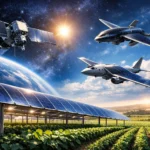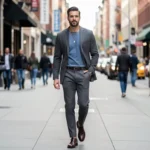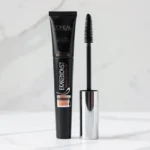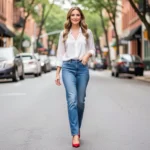
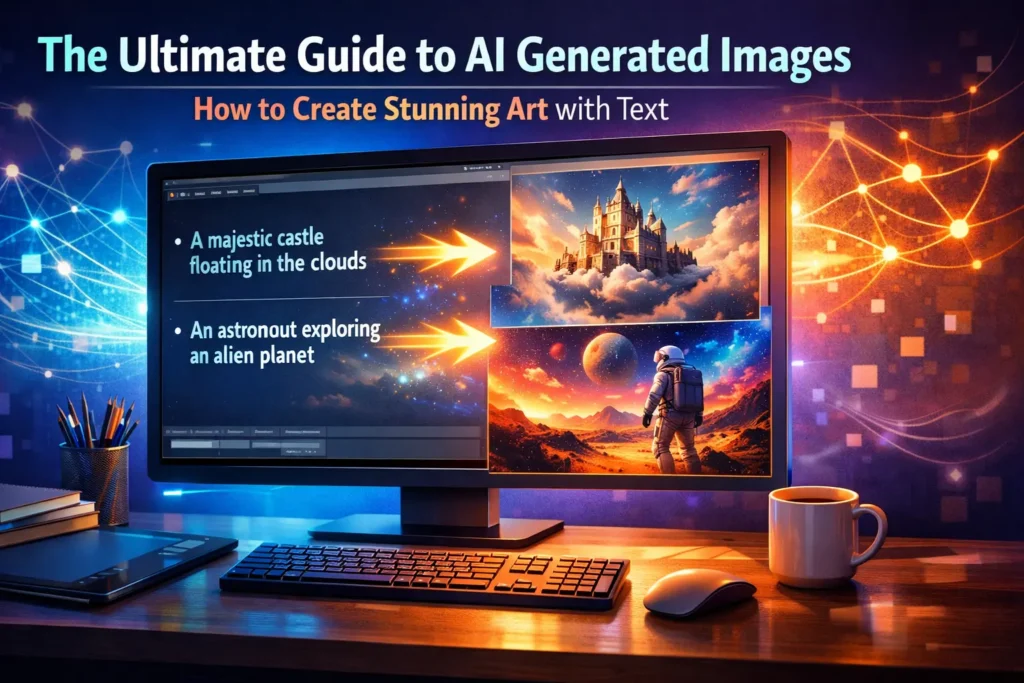
AI generated images have transformed the creative landscape. Whether you are a marketer needing product visuals, a designer prototyping ideas, or a small business owner building a brand on a budget, AI image generators give you the power to create high-quality, photorealistic images from nothing more than a text description. No design skills required. No expensive software. Just your imagination.
This guide covers everything you need to know — from how the technology works under the hood, to advanced prompt engineering, to the legal landscape around copyright and commercial use.
What Are AI Generated Images? A Simple Explanation
AI generated images are visual outputs created by artificial intelligence systems in response to human instructions — most commonly a text prompt. An AI image generator (also called a text-to-image or AI photo generator) interprets a written description and synthesizes a completely new image that matches it. You might type ‘a futuristic city at sunset, cinematic lighting, 4K detail’ and receive a stunning, unique piece of digital art in seconds.
These images are not pulled from a database or stock library. They are synthesized pixel by pixel based on patterns the AI has learned during training, meaning every output is wholly original.
How Does an AI Image Generator Work? (The Under-the-Hood Guide)
Most modern AI image generators are built on a technology called diffusion models. Here is the simplified version of how it works:
- Training: The AI is trained on hundreds of millions of image-text pairs scraped from the internet. It learns the statistical relationship between words and visual concepts — what ‘ocean’ looks like, what ‘melancholy’ suggests visually, what different lighting styles mean.
- Noise and Denoising: When generating an image, the model starts with pure random noise (static) and gradually removes that noise, guided by your text prompt, until a coherent image emerges. This is the ‘diffusion’ process.
- Prompt Encoding: Your text prompt is converted into a mathematical representation (a vector) by a language model, which acts as the guiding signal throughout the denoising process.
This is why specificity matters so much in your prompts: the richer the signal you provide, the more precisely the diffusion process can steer the output toward your vision.
A Brief History: From DeepAI (2016) to DALL-E, Midjourney, and Stable Diffusion
The AI image generation space has evolved with remarkable speed. DeepAI launched its text-to-image API back in 2016, laying early groundwork. OpenAI released DALL-E in 2021, a watershed moment that demonstrated just how powerful text-to-image AI could be. Midjourney followed in 2022, becoming the tool of choice for artists and designers thanks to its distinctive aesthetic quality. Stability AI released Stable Diffusion as an open-source model the same year, democratizing access and sparking an explosion of third-party tools.
Today, platforms like Google Gemini (with Imagen), Freepik, ImagineArt, Adobe Firefly, and Canva have integrated multiple AI models into creative suites — moving the technology from novelty to an indispensable professional tool.
Why Use an AI Image Generator? Key Benefits for Everyone
The democratizing power of AI image generation is its most compelling feature. You no longer need years of training, expensive software, or a large creative team to produce compelling visuals. You need an idea and a few well-chosen words.
For Creators & Marketers: Generate High-Quality Visuals Instantly
Social media content, ad creatives, blog header images, and website visuals — all of these can be produced in minutes rather than days. AI image generators let marketing teams iterate rapidly, test multiple visual concepts for A/B testing, and maintain a consistent brand identity across hundreds of assets without hiring a full design department.
For Designers & Artists: Prototype Ideas and Create Concept Art
Professional designers have adopted AI image tools not as replacements for their craft, but as powerful ideation partners. Generating concept art, creating moodboards, or rapidly visualizing a dozen layout variations before committing to a single direction — these are workflows that used to take days and now take minutes. The creative freedom AI unlocks is genuinely transformative for experienced practitioners.
For Entrepreneurs & Small Businesses: Affordable Product Shots & Branding
Professional product photography can cost thousands of dollars per shoot. AI image generators offer a compelling alternative: photorealistic product shots, logos, brand imagery, and presentation visuals at a fraction of the cost. For startups and small businesses, this levels the playing field considerably, enabling commercial-quality visuals from day one.
Top Features to Look For in the Best AI Image Generator
Not all AI image generators are equal. The best tools combine powerful generation capabilities with intuitive controls and practical editing features. Here is what to look for when evaluating your options.
Mastering Control: Prompts, Reference Images, and Composition
A strong text prompt is the foundation of every great AI-generated image, but leading tools go further. Look for support for reference images (uploading an existing image to guide the style or composition of the output), control over camera angles, aspect ratio selection, and the ability to specify composition elements. These features transform the tool from a random image machine into a precision creative instrument.
Beyond Generation: Essential Editing Tools
The best platforms do not stop at generation. Look for integrated image editing features including background removal, an image upscaler for boosting resolution to 4K and beyond, resize and crop tools, inpainting (editing specific regions of an image), and outpainting (extending the canvas beyond the original boundaries). These tools transform a good generated image into a production-ready asset.
Choice is Key: Access to Multiple AI Models
Different AI models have distinct visual personalities and strengths. Access to multiple models within a single platform is a significant advantage. Here is a quick overview of the most prominent models:
- Google Imagen 3 (via Gemini): Exceptional photorealism and precise instruction-following. Strong choice for product shots and commercial imagery.
- DALL-E 3 (OpenAI): Outstanding at rendering complex scenes with accurate text and creative interpretations of abstract prompts.
- Stable Diffusion: Open-source and highly customizable. Favored by advanced users who want granular control or local deployment.
- Midjourney: Renowned for artistic quality, striking aesthetics, and a highly consistent visual style popular among designers and illustrators.
- Flux (Black Forest Labs): A newer entrant gaining traction for photorealism and strong adherence to detailed prompts.
How to Generate AI Images: A Step-by-Step Guide for Beginners
Getting started with an AI image generator is simpler than you might think. Follow these steps for your first successful generation.
Step 1: Write a Detailed Text Prompt
Your text prompt is your creative brief to the AI. Begin with the subject, then layer in details about the environment, lighting, style, mood, and technical specifications like aspect ratio or resolution. Instead of ‘a dog,’ try ‘a golden retriever sitting in a sunlit forest clearing, soft bokeh background, National Geographic photography style, warm afternoon light.’ The more precise your language, the more aligned the output will be with your vision.
Step 2: Select Your Settings (Aspect Ratio, Style, Model)
Before generating, configure your output settings. Choose an aspect ratio appropriate for your use case: 1:1 for social media profile images, 16:9 for website banners or presentations, 9:16 for Instagram Stories or TikTok. Select the AI model that best fits your needs (see model comparison above) and apply any style presets the platform offers.
Step 3: Generate, Refine, and Download
Hit generate and evaluate the results. Most platforms produce multiple variations simultaneously. If the output is close but not quite right, use the regenerate function with a refined prompt, adjust style settings, or use the inpainting tool to modify specific areas. Once satisfied, download your image — and check the resolution settings first if you need a high-detail or print-quality output.
Advanced Prompt Engineering: How to Get Exactly What You Want
Prompt engineering is the art and science of communicating with AI image generators effectively. Basic tips like ‘be specific’ only scratch the surface. Here is a structured approach to mastering it.
The Anatomy of a Perfect Prompt: Subject, Action, Environment, Lighting, Style
Think of your prompt as having five layers. Master each one and your outputs will improve dramatically:
- Subject: Who or what is the main focus? Be specific. Not ‘a woman’ but ‘a middle-aged scientist with short grey hair wearing a lab coat.’
- Action/Pose: What are they doing? ‘Standing confidently, arms crossed, looking directly at camera.’
- Environment/Setting: Where are they? ‘In a modern laboratory with glass walls overlooking a city skyline at night.’
- Lighting: How is the scene lit? ‘Dramatic side lighting, cool blue ambient glow from monitors, shallow depth of field.’
- Style: What is the aesthetic? ‘Cinematic photography, shot on a Sony A7R IV, ultra-sharp, 8K detail, colors desaturated with a teal-orange grade.’
Using Modifiers: Artist Names, Mood, and Camera Terms
One of the most powerful techniques in prompt engineering is referencing specific artists, photographers, or visual styles. ‘In the style of Ansel Adams’ immediately tells the AI to aim for high-contrast black and white landscape photography with exceptional tonal range. ‘Greg Rutkowski style’ conjures epic fantasy illustration. ‘Wes Anderson aesthetic’ produces symmetrical compositions with pastel palettes.
Camera terms are equally powerful. Including phrases like ‘low angle shot,’ ‘bird’s eye view,’ ‘extreme close-up macro,’ ‘wide-angle environmental portrait,’ or ‘bokeh background f/1.8’ directly influences composition and spatial perspective. These are the vocabulary of visual professionals — and AI models have been trained on enough photography and film references to understand them fluently.
Leveraging Negative Prompts to Avoid Unwanted Elements
Many platforms (particularly those built on Stable Diffusion) support negative prompts — a separate text field where you describe what you do not want in the image. This is an underused but highly effective technique for improving output quality.
Common negative prompt additions include: ‘blurry, low resolution, watermark, extra fingers, distorted face, overexposed, grainy, cartoonish.’ For portraits especially, ‘deformed hands, extra limbs, disfigured’ are essential additions, as human anatomy remains a known weakness of many models. Use negative prompts consistently and you will see a marked improvement in the usability of your generated images.
Understanding the Legal Landscape: Copyright, Ownership, and Commercial Use
The legal landscape surrounding AI generated images is one of the most rapidly evolving areas in intellectual property law. Before using any AI-generated image commercially, it is essential to understand the key concepts and check the specific terms of service of the tool you are using.
Who Owns the Copyright?
This is the central question — and the honest answer is that it depends. In the United States, the Copyright Office has indicated that purely AI-generated content with no significant human creative input is not eligible for copyright protection. However, works where a human makes sufficient creative choices (through elaborate prompting, editing, or selection) may be eligible for protection of the human’s contributions.
Different platforms take different positions. Adobe Firefly, for example, is trained exclusively on licensed content and explicitly grants users rights for commercial use. Freepik and ImagineArt also offer clear commercial licensing tiers. Always read the terms of service carefully, particularly the sections on ownership and commercial use, before publishing or selling AI-generated work.
Watermarks, SynthID, and Transparency
Google has developed SynthID, a technology that embeds an imperceptible watermark into AI-generated images at the pixel level. This watermark survives editing, cropping, and format conversion, allowing the AI origin of an image to be verified even after significant modification. This approach to transparency is increasingly being adopted across the industry as regulators push for clearer disclosure of AI-generated content.
Important disclaimer: The information above provides general context only. AI copyright law is actively evolving and varies by jurisdiction. Always consult a qualified legal professional for advice on your specific situation.
faqs
What is an AI image generator?
An AI image generator is a software tool that creates original images from text descriptions using machine learning models. You type what you want to see, and the AI synthesizes a unique image that matches your description.
What is the best free AI image generator?
Several strong free options exist including Microsoft Designer (powered by DALL-E 3), Adobe Firefly’s free tier, Canva’s AI image tool, and Google’s Gemini image generation. Each has different usage limits and strengths — the best choice depends on your specific use case and how often you need to generate images.
How does a text-to-image AI work?
Most modern text-to-image AI models use diffusion technology. The model is trained on massive datasets of image-text pairs, learning associations between language and visual concepts. At generation time, it starts with random noise and gradually refines it into a coherent image guided by your text prompt.
Can I use AI generated images for commercial purposes?
It depends on the platform. Many tools, including Adobe Firefly and Freepik’s paid tiers, explicitly grant commercial use rights. Others have restrictions. Always read the terms of service of the specific tool you are using before commercializing AI-generated images.
Who owns the copyright to images created by AI?
Copyright ownership of AI-generated images is a legally unsettled area. In the US, purely AI-generated content with no significant human creative input is generally not copyright-eligible. The platform’s terms of service govern your usage rights. Some platforms assign rights to you; others retain ownership.
How do I write a good prompt for an AI image generator?
Structure your prompt around five elements: subject, action, environment, lighting, and style. Be specific and descriptive. Include technical photography terms like ‘shallow depth of field’ or ‘golden hour lighting.’ Reference artists or visual styles when relevant. Use negative prompts to exclude unwanted elements.
Are AI image generators free?
Many offer free tiers with limited credits or generation counts per day. Full-featured access with higher usage limits, commercial licensing, and advanced features typically requires a paid subscription. Pricing varies widely across platforms.
Can I edit an image after it’s generated?
Yes — most modern platforms include editing tools like inpainting (editing specific regions), outpainting (extending the canvas), background removal, image upscaling, and color adjustments. Some, like Adobe Firefly and Canva, offer full integrated editing suites.
What is the difference between DALL-E, Midjourney, and Stable Diffusion?
DALL-E 3 (OpenAI) excels at following complex instructions and rendering text accurately within images. Midjourney produces artistically striking, aesthetically distinctive imagery favored by designers. Stable Diffusion is open-source, highly customizable, and can be run locally — it is the choice of developers and advanced users who want maximum control.
Ready to Start Creating?
AI generated images represent one of the most significant creative shifts of our time. The barrier between imagination and visual output has never been lower. Whether you are producing your first social media image or building a professional design workflow at scale, the tools and techniques in this guide will help you get there faster — and with better results.
Start with one of the leading platforms — Adobe Firefly, Freepik, or Google Gemini are excellent starting points for different needs — and apply the prompt engineering principles from this guide from your very first generation. Experiment with negative prompts, try different AI models for the same prompt to understand their distinct personalities, and invest time in learning the vocabulary of visual description.
The AI image generation landscape is evolving rapidly. New models, features, and legal developments emerge regularly. Bookmark this guide — it will be updated as the field advances — and follow the related resources below to stay ahead of the curve.
Related Reading:
- DALL-E 3 vs. Midjourney 6 vs. Stable Diffusion: The Ultimate Model Face-Off
- 10 AI Prompt Generators to Supercharge Your Creativity
- The Ethics of AI Art: A Balanced Look at the Debate
- AI Image Generation for E-Commerce: A Complete Product Photography Guide
- Glossary of AI Art Terms: From Diffusion Models to Negative Prompts
Last updated: March 2026 | This guide is reviewed and updated every 3-6 months to reflect new models, features, and legal developments in the AI image generation space.

Adrian Cole is a technology researcher and AI content specialist with more than seven years of experience studying automation, machine learning models, and digital innovation. He has worked with multiple tech startups as a consultant, helping them adopt smarter tools and build data-driven systems. Adrian writes simple, clear, and practical explanations of complex tech topics so readers can easily understand the future of AI.